Appearance
Connections
This is the first thing you need to configure.
Create new
The initial screen is like below of the image. 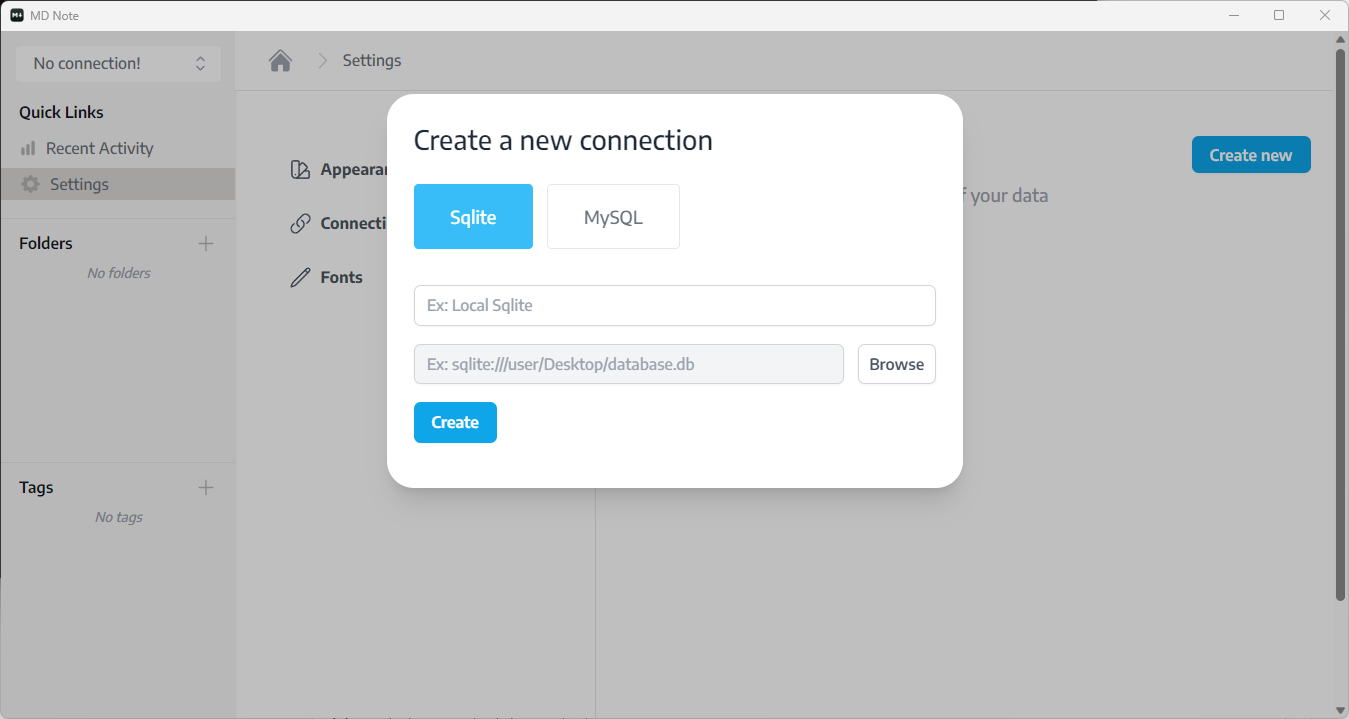 If not then you can click
 Settings > Connections > Create new
Here you need to create a connection, where all of your notes will be stored.
You can choose from two databases
- Sqlite
- MySQL
If you try to store all of your notes inside a local pc as a file, then you need to choose sqlite, or you can choose mysql for a remote or local database.
Configure Sqlite Database
First, you need to create a database file. So right click and new text document and then write your file name with the extension .db. Here I created notes.db file bellow. 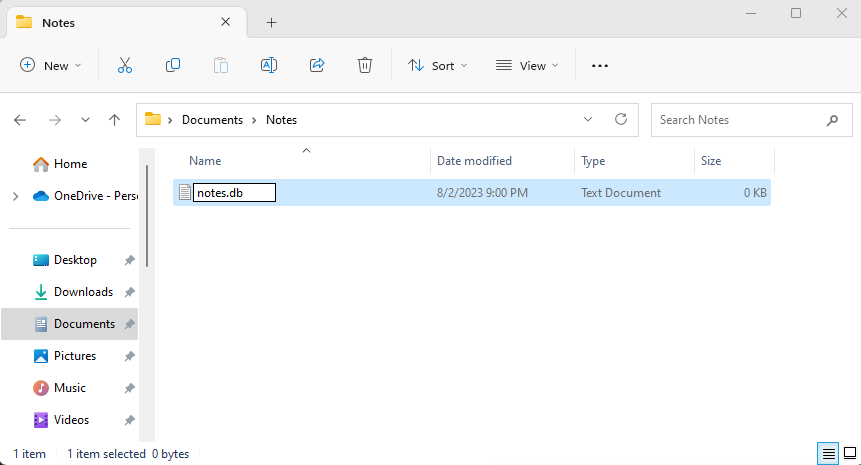
Then, Give a connection name on MD Notes APP, click the browse button and then select the file, and click the create button. 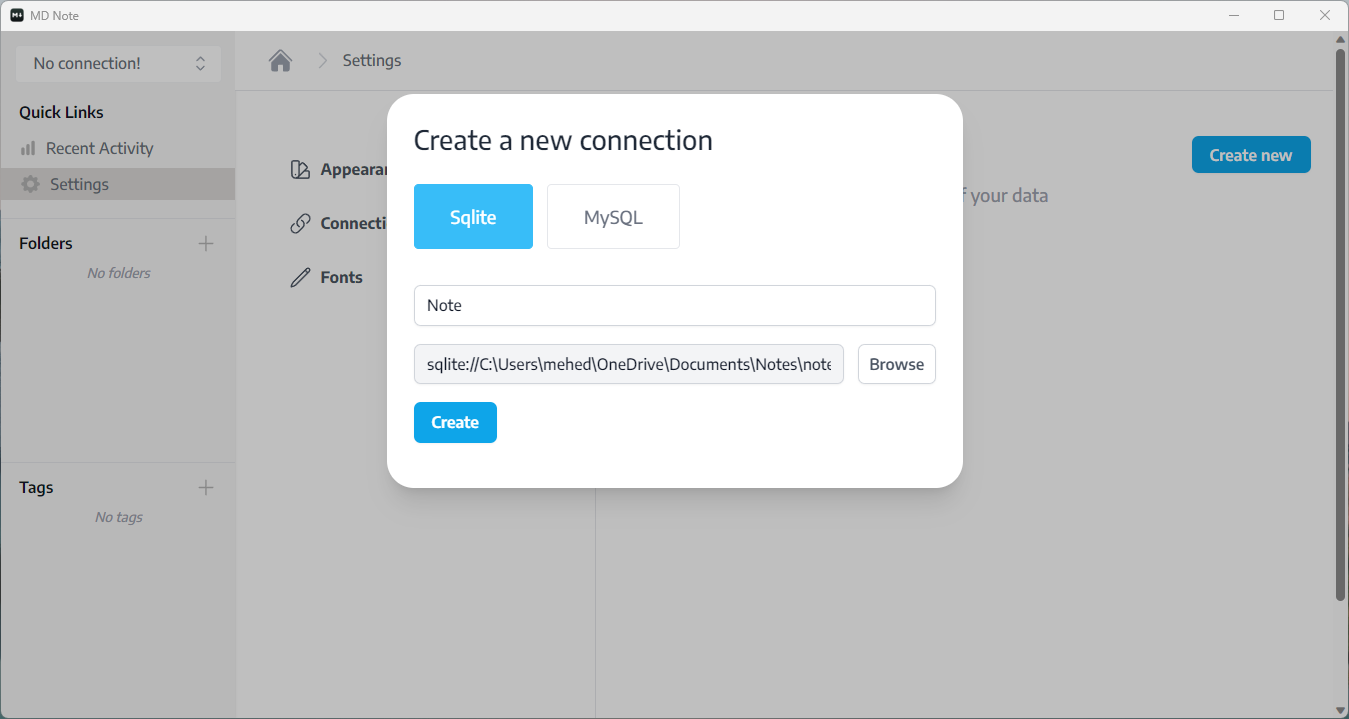 After creating a connection, click over the connection name and it should expand like this
 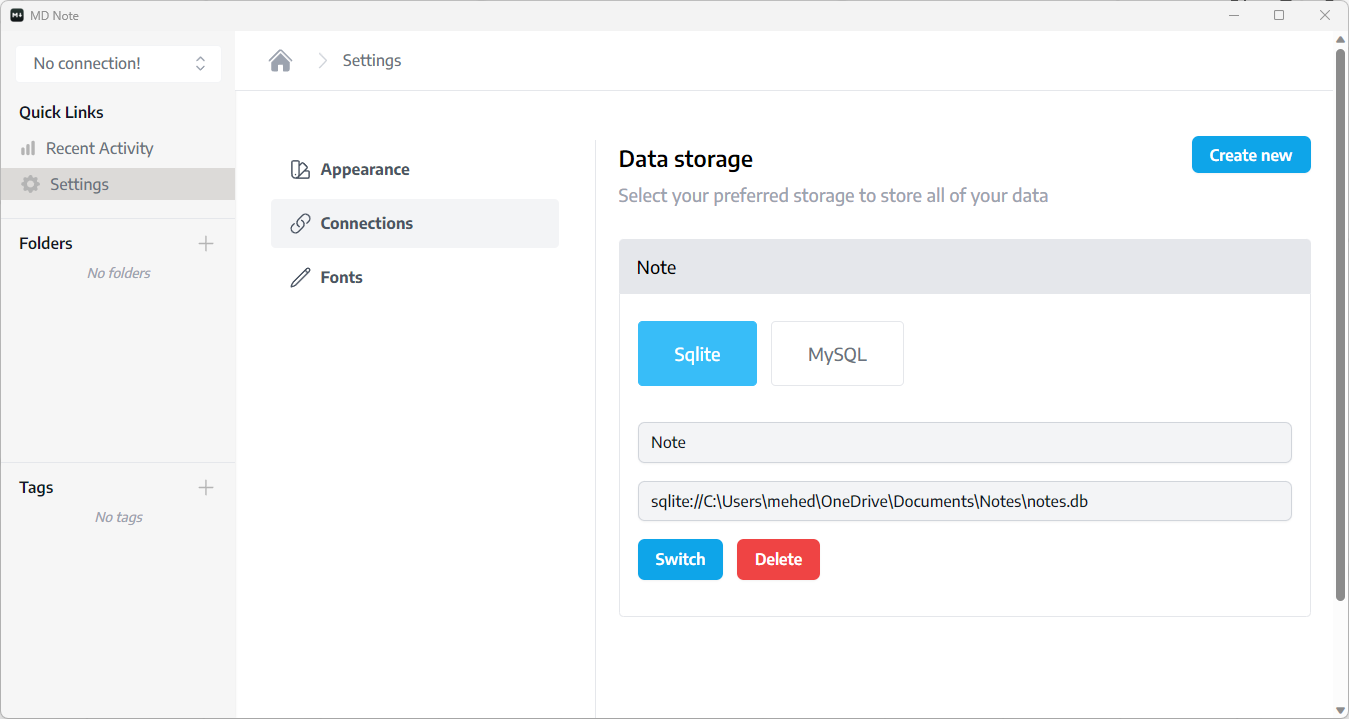 You need to just click the switch button or select connection from the left side dropdown menu.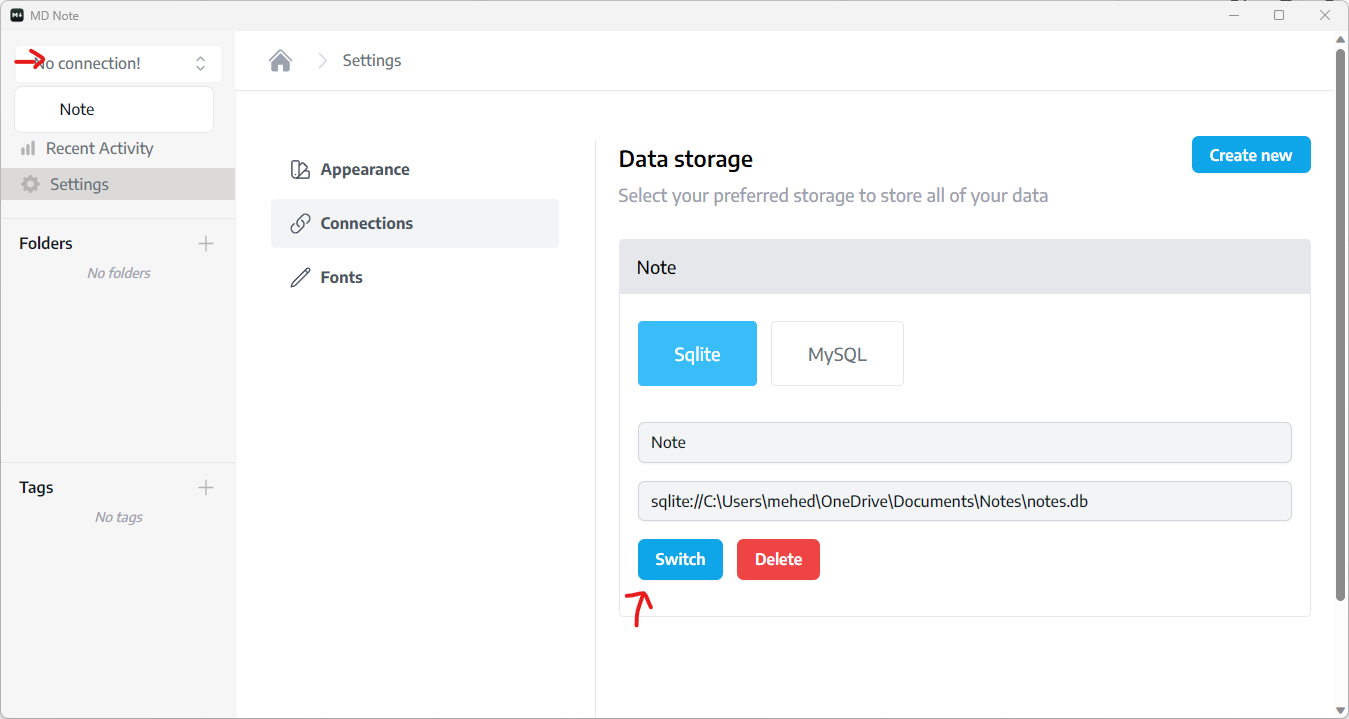
Configure MySQL Database
Configuring mysql as easy as sqlite you need to just enter mysql connection instead of selecting file.